
How Do Chargeback Thresholds Work With Stripe, PayPal, and Shop Pay?
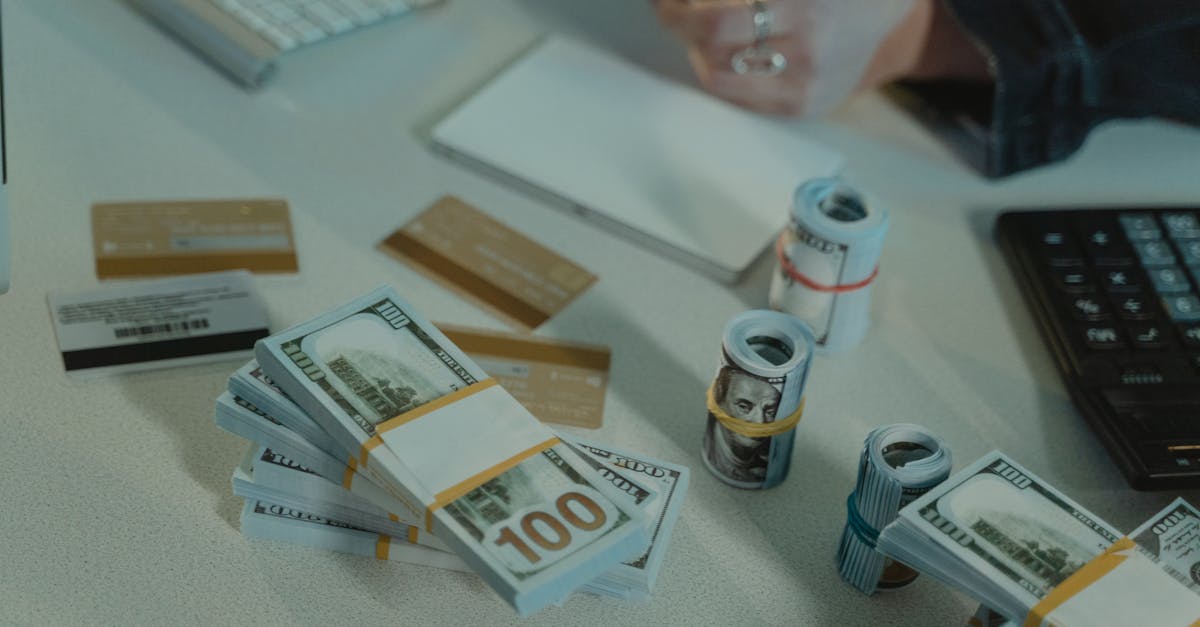
How chargeback thresholds work with Stripe, PayPal, and Shop Pay
Chargeback thresholds work like a provider's warning line. Payment providers look at dispute volume, chargeback rate, order behavior, and account history to decide whether a merchant account looks healthy or risky.
That line is not universal. Stripe has its own account-risk systems. PayPal has its own dispute and account-review systems. Shop Pay can be trickier to think about because the chargeback exposure often depends on the underlying payment setup, not just the checkout button a shopper saw.
For a small store, this matters fast. A shop doing five orders a day on OpoShop can look stable for months, then get hit with six fraudulent orders in one night and feel account pressure a few weeks later when those orders turn into disputes.
The part that catches merchants off guard is timing. By the time the chargebacks arrive, the products are already shipped, printed, or dropshipped. That is why early order review matters more than perfect chargeback paperwork after the fact.
What is a chargeback threshold?
A chargeback threshold is the point where a payment provider starts treating your dispute activity as a risk problem, not just an occasional cost of doing business.
Most merchants think in raw counts. "We only got three chargebacks." Providers do not stop there. They also look at rate. Three chargebacks on 1,000 orders feels very different than three chargebacks on 40 orders.
A practical way to think about it is this:
- Raw chargeback count: how many chargebacks hit the account.
- Chargeback rate: how many chargebacks happened compared with total transactions.
- Dispute pattern: whether the disputes look random or tied to fraud, card testing, or repeat order abuse.
- Account behavior: whether the account suddenly changed, like larger orders, new geographies, or a spike in failed attempts.
A small merchant on OpoShop does not need a huge fraud wave to get noticed. Low-volume stores are more exposed to ratio swings because a handful of bad orders can distort the picture fast.
Here is the simple math merchants should keep in mind:
Chargeback rate = chargebacks / total transactions
If you had 2 chargebacks out of 200 transactions, that is one picture. If you had the same 2 chargebacks out of 25 transactions, that is a very different picture.
Why chargeback thresholds matter for small independent stores
Chargeback thresholds matter for small stores because one bad week can change your numbers fast.
That sounds dramatic until you see the pattern. A store doing 3 to 10 orders a day gets hit with a card-testing burst on Friday night. Then a few larger fraud orders slip through on Saturday morning. By the time the merchant notices, a POD supplier has already started production or a dropship supplier has already shipped.
Now the money problem shows up later. The orders looked like revenue on day one. Two or three weeks later, the disputes arrive. That is where small stores feel the squeeze.
The usual triggers are pretty familiar:
- Friendly fraud: a real customer receives the order, then disputes it anyway.
- Card testing: tiny orders or repeated payment attempts used to test stolen cards.
- Reshipping scams: different accounts sending orders to the same address.
- Large first orders: a brand-new customer placing a $280 order when your average order is $42.
And yes, one bad fraud week can put a payment account at risk. Not because the provider is being unfair, but because the account suddenly looks unstable.
If you sell on OpoShop and fulfill orders yourself, you at least have a chance to pause and review. If you run POD or dropship, the window is tighter. The suspicious order can be in production before your coffee is cold.
How should you think about Stripe, PayPal, and Shop Pay without guessing at hidden rules?
The safest way to think about Stripe, PayPal, and Shop Pay is to watch visible risk signals in your own store instead of trying to reverse-engineer secret numbers.
A lot of merchants burn time chasing rumors. They ask, "What is the exact Stripe limit?" or "What count makes PayPal nervous?" The honest answer is that provider risk systems are not always presented as one neat public rule for every merchant type.
So do not build your fraud process around forum guesses. Build it around the signals you can actually see:
- Disputes and chargebacks: not once a quarter, but weekly.
- First-order size jumps: a new buyer spending $350 when your normal first order is $55.
- Burst behavior: four orders in seven minutes from one email or IP pattern.
- Repeat shipping destinations: one address receiving orders from different customer accounts.
- Throwaway email domains: orders that look real until you notice the disposable inbox.
That approach gives you something useful even if provider rules shift. You are not trying to win a trivia contest about hidden thresholds. You are trying to keep bad orders from maturing into disputes.
A weak review habit looks like this:
Weak: "We only check fraud after a chargeback email shows up."
A stronger review habit looks like this:
Stronger: "We review unusual first orders, address repeats, and order bursts before fulfillment, then document what we approved and why."
That is a much better operating posture for OpoShop merchants.
If you want a lighter way to focus only on the orders that deserve a second look, start with the store setup that helps you review exceptions instead of every order.
Stripe vs PayPal vs Shop Pay: the practical differences merchants should watch
Stripe, PayPal, and Shop Pay differ less in the idea of risk and more in where merchants see that risk show up.
For a small operator, the useful question is not "Which one has the scariest threshold?" The useful question is "Where do disputes surface, who is processing the payment, and what account consequences should we watch?"
| What to watch | Stripe | PayPal | Shop Pay |
|---|---|---|---|
| Where disputes usually appear | In Stripe account activity and dispute workflows | In PayPal account dispute and case workflows | Often tied to the underlying payment setup behind Shop Pay |
| How account pressure may show up | Reviews, reserves, payout pressure, closer monitoring | Holds, reserves, account reviews, dispute pressure | Depends on who processes the payment and where chargeback exposure sits |
| What merchants should track | Chargeback rate, unusual order clusters, dispute timing | Dispute reasons, unauthorized claims, fulfillment proof | Checkout source plus the processor handling the actual payment flow |
Stripe merchants often think about chargeback rate limits because Stripe surfaces account health through its own payment stack. PayPal merchants often feel the issue through disputes, holds, or account reviews tied to PayPal's own systems.
Shop Pay needs a little more care in your mental model. Shop Pay is a checkout experience. Your actual chargeback exposure may still depend on the processor underneath that setup. That means a merchant should trace the payment path, not just the shopper-facing button.
For OpoShop stores, that matters because the checkout label alone does not tell the whole story. If a dispute lands, you need to know where it lands, where the evidence lives, and which account is taking the hit.
How do you reduce the odds of crossing a chargeback threshold?
You reduce the odds of crossing a chargeback threshold by reviewing suspicious orders before fulfillment and by spending review time only where the risk is real.
That does not mean turning every order into a detective project. Most small stores do not have time for that. The goal is lighter review, earlier review, and better pattern recognition.
1. Review only the orders that break the pattern
The fastest stores usually get into trouble by treating speed as the only goal. Fast shipping feels good. Fast shipping on a stolen-card order feels terrible.
Start with the outliers. A new customer placing a $310 order in a store where the average order is $48 deserves a look. Three tiny orders for $9, $11, and $14 placed within six minutes deserve a look too.
2. Put the review before production, not after
The review point needs to happen before your supplier touches the order. That is extra important for POD and dropship setups because once the item is printed or shipped, the damage is already done.
This is where a lot of small teams get stuck. They think, "We cannot slow down everything." You do not need to. You only need a clean habit for the orders that look off.
A simple pre-fulfillment checklist can save a lot of pain:
- Large first order: compare against your usual first-time buyer behavior.
- Multiple orders in minutes: check whether the pattern looks like testing or panic buying with stolen cards.
- Same address, different accounts: look for reshipping or account cycling.
- Mismatch with customer history: compare the delivery address to what that shopper used before.
Forewarn-style review helps here because it does not touch payments and does not change orders. It just flags patterns so a human can decide what deserves a pause.
If your team wants a simpler way to surface only the riskiest orders in your OpoShop store, that is the right moment to tighten the review process instead of adding more guesswork.
What common mistakes do merchants make when watching chargeback risk?
Most chargeback trouble starts with ordinary merchant habits that feel harmless until they stack up.
The first mistake is watching only final chargebacks. Disputes, odd order patterns, and warning signs show up earlier. If you wait for the chargeback notice, you are already behind.
The second mistake is shipping everything fast because speed feels like good service. Good service still needs judgment. A suspicious $240 first order should not get the same autopilot treatment as a repeat customer buying the same $28 item they bought last month.
The third mistake is assuming every weird order is still safe if the payment cleared. Payment approval is not the same thing as low risk. A processor can approve a transaction that later becomes a dispute.
The fourth mistake is waiting for a processor warning before changing anything. That is backwards. By the time a warning lands, the pattern is already visible from the provider side.
A simple weekly check is enough for many small shops:
- Count disputes: not just chargebacks.
- Check order clusters: look for bursts by time, email, and address.
- Review fulfillment losses: note which bad orders were already printed or shipped.
- Track account actions: holds, reserve notices, or payout delays are signals, not annoyances.
What do we recommend for OpoShop stores using Forewarn-style order review?
We recommend lightweight order-risk flagging before fulfillment, with a human making the final call.
That balance matters. Small stores do not need a giant fraud department. Small stores need a way to spot the handful of orders that deserve attention before those orders turn into chargebacks, reships, or supplier losses.
For OpoShop merchants, the sweet spot usually looks like this:
- Flag, do not block: let a tool surface suspicious patterns without changing the order.
- Review before shipment: put the pause point before packing, printing, or supplier submission.
- Focus on the riskiest slice: do not waste time manually reviewing every normal order.
- Keep notes: if you approve a risky-looking order, record why.
That is also why Forewarn-style review fits this problem well. The app does not touch payments. The app does not alter orders. The app flags patterns already sitting in your store data, and a human decides what to do next.
If you want fewer false alarms and fewer bad orders slipping through, start with a cleaner review layer inside your OpoShop workflow.
Best answer: If you run a small store, do not wait for Stripe, PayPal, or Shop Pay to tell you that chargeback pressure is building. Watch your dispute trend, review suspicious orders before fulfillment, and use lightweight flagging so your team spends time on the risky orders instead of all of them.
FAQs
What is a good chargeback rate for a small ecommerce store?
A good chargeback rate for a small ecommerce store is a low and stable one that does not spike after fraud bursts or fulfillment issues. Merchants should watch the trend every week, because even a few disputes can distort the rate in a low-volume store.
Can one bad fraud week put my payment processor account at risk?
Yes. One bad fraud week can put a payment processor account at risk if several orders later turn into disputes and your store does not have enough normal volume to absorb them cleanly. Small stores feel those swings faster than larger ones.
Why do chargebacks happen even when I shipped the order?
Chargebacks still happen after shipment because shipping proof does not stop every unauthorized payment claim or friendly fraud dispute. A merchant can fulfill the order correctly and still lose money if the order should have been reviewed before it shipped.
How do I protect a dropshipping store from fraudulent orders?
The best protection for a dropshipping store is a pre-fulfillment review step for suspicious orders. Look closely at large first orders, multiple orders placed within minutes, disposable emails, and repeat addresses across different accounts before the supplier ships.
What should I do right after I get hit with a chargeback?
Start by checking whether the chargeback came from an isolated customer issue or from a broader order pattern. Then review similar recent orders, gather fulfillment records, and tighten your pre-shipment checks so the same pattern does not repeat.
Does Shop Pay have its own chargeback threshold or does it depend on the payment processor?
Shop Pay does not always work like a separate risk bucket in a merchant's day-to-day thinking. Chargeback exposure often depends on the payment processor and account setup underneath the Shop Pay checkout flow, so merchants should trace where disputes actually land.
Want fewer chargeback-prone orders slipping through your store? Start with a setup that helps you catch suspicious orders before fulfillment.